Wallpaper Engine on a Mac
Updated September 27, 2026
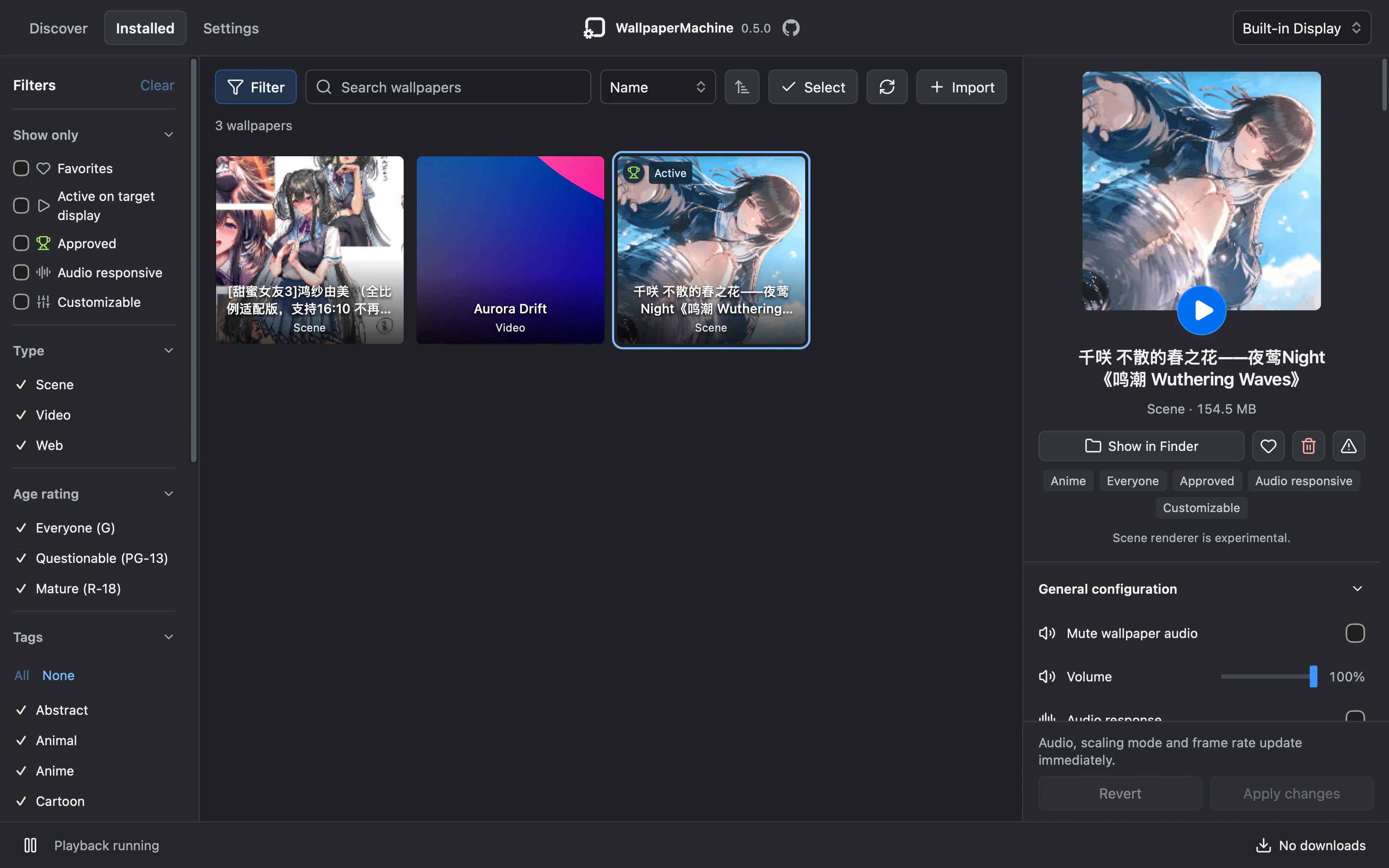
Wallpaper Engine is made for Windows, and there is no Mac version. Its wallpapers are another matter. WallpaperMachine is an independent, open-source Mac app that plays Wallpaper Engine’s scene, video and web wallpapers on macOS, and browses and downloads the Steam Workshop without a Windows PC.
What plays
Three of Wallpaper Engine’s four kinds of wallpaper play in WallpaperMachine:
- Scene wallpapers, the animated, interactive kind. The Open Wallpaper Engine scene engine draws them through Vulkan on Metal, and a native Metal renderer is optional under Settings → Performance. Scene support is experimental.
- Video wallpapers.
- Web wallpapers, each in a web view of its own.
Application wallpapers, which are Windows programs, don’t run. Compatibility varies by wallpaper: videos usually play, and not every scene renders as it does on Windows. If one looks wrong, Report a problem on GitHub in the inspector opens an issue with its details filled in.
What you need
- A Mac with Apple silicon (M1 or later) running macOS 15 Sequoia or later. Intel Macs aren’t supported.
- WallpaperMachine itself, a free download. The install guide covers the first launch.
- For Workshop downloads, a Steam account that owns Wallpaper Engine. Browsing needs no sign-in.
- For scene wallpapers, the shared resources from a Wallpaper Engine you own. The app downloads them through Steam, or takes them from an existing installation.
Video wallpapers need neither, and the bundled video wallpaper, Aurora Drift, plays straight away.
No Windows PC, no virtual machine
WallpaperMachine is a native Mac app: an AppKit shell around a Rust core, drawing with Metal. Workshop downloads run inside it through SteamCMD, Valve’s command-line download tool, signed in with your own Steam account.
Scene wallpapers need Wallpaper Engine’s shared shaders and materials. To fetch them, Steam downloads the Windows build of Wallpaper Engine into temporary storage, and the app keeps only the shared resources. No Windows program ever runs. Steam Workshop on a Mac walks through it.
What else it does
- Every display gets its own wallpaper, or mirrors another, with its own scaling, frame rate and volume.
- Every option a wallpaper’s artist made is there, saved for each wallpaper when you apply your changes.
- Wallpapers made for sound move with what your Mac plays, and ones with a music display show the song that’s on. See wallpapers that move with your music.
- On battery it can pause, or drop to a render scale and frame rate you choose. Both are off until you turn them on.
- A covered display stops its own wallpaper, and sleep or lock pauses them all.
- Video and scene wallpapers can animate the lock screen too, as an experiment that is off by default. See a live wallpaper on your lock screen.
- Import brings in the Wallpaper Engine folders you already have, copying them and leaving the originals alone.
- It follows light and dark mode and your accent colour, in English or Simplified Chinese.
How to start
- Install WallpaperMachine from its latest GitHub release.
- In the first-run guide, sign in to Steam, or skip it until your first download.
- Open Discover, find a wallpaper and double-click it to download it.
- Double-click it in your library, or press Apply wallpaper, to put it on your desktop.
Want to look first? The home page runs the app’s own interface, with the live Workshop in Discover.
Common questions
Is there an official Wallpaper Engine for Mac?
No. Wallpaper Engine’s own help pages say it doesn’t support macOS. WallpaperMachine is an independent project, not affiliated with Wallpaper Engine or Valve.
Can I use it without owning Wallpaper Engine?
Partly. Browsing the Workshop and playing video wallpapers you already have need nothing from Wallpaper Engine. Workshop downloads need a Steam account that owns it, and scene wallpapers need its shared resources.
Does it run on Intel Macs?
No. WallpaperMachine needs a Mac with Apple silicon (M1 or later) and macOS 15 Sequoia or later.